
The power supply module supplies power to each modules.
Details
Module specifications
| Item | Specification |
|---|---|
| Model | A8HPU-16-0P |
| Power supply voltage | 24V DC |
| Power supply voltage Variation range(*1) |
20.4~28.8V DC (-15% to +20%) |
| Rated input power | 45W |
| Inrush current | 10Amax. (28.8V DC、Ta=25℃) |
| Rated output power | 40W |
| Rated output voltage | 5.2V DC |
| Rated output current | 7.7A |
| Protection circuit(*2) | Built-in time-lag fuse (non-replaceable) Reverse polarity protection circuit |
| Insulation resistance | 5 MΩ or more at 500 VDC (between all FG terminals and the other terminals and circuit (*2)) 5 MΩ or more at 500 VDC (between all FAIL signal contact output terminals and the other terminals and circuit (*3)) |
| Withstand voltage | 500 VAC for 1 minute (between all FG terminals and the other terminals (*2)) 1000 VAC for 1 minute (between all FAIL signal contact outputs terminals and the other terminals (*3)) |
| Hold-up time | 5ms (24V) 2ms (20.4V) |
| FAIL signal contact output(*4) | Contact rating: 24 VDC (20.4 to 28.8 VDC) Rated current: 0.25 A (0.3 A max.) ON voltage: 0.5 V Leakage current when off: 0.1 mA |
| External connection(*5) | 10-pole push-in terminal block |
| Dimensions | 23(W)×100(H)×84.6(D)mm(excluding protrusions) |
| Weight | 145g |
*1: Avoid connecting a power supply that produces over 30 VDC. Avoid connecting an AC power supply. Connecting one of these power supplies may cause a malfunction.
*2: The FAIL signal contact output terminal, 24VDC terminal, and internal circuit.
*3: The FG terminal, 24VDC terminal, and internal circuit.
*4: If an inductive load, such as a relay, is connected, a surge suppressor is required on the load side. Install a surge suppressor or diode near the load to ensure that the voltage applied to the FAIL signal contact output terminal does not exceed the contact rating.
*5: When wiring to this module, be sure to use the terminal block provided. A 10-pole push-in terminal block (model: A2320JT) is available as spare parts.
Notes on 「Downloads」 (A8 User Registration – Required)
Product content (documents and software) can be downloaded from the Yokogawa Electric Customer Portal (membership registration required).
After purchasing the product, please register your product by clicking "A8 User Registration" in the upper right corner of this page.
Note:
-To download product content, you will need both "Customer Portal Registration" and "A8 User Registration" on the Yokogawa Electric Site.
-When searching for content within the Customer Portal, please specify "A8" as your search keyword.
Software:<https://myportal.yokogawa.com/s/downloads>
Documents:<https://myportal.yokogawa.com/s/documents>
Product Information:<https://myportal.yokogawa.com/s/product-information>
Some documents can only be downloaded from the "A8 Document List" in the product information.
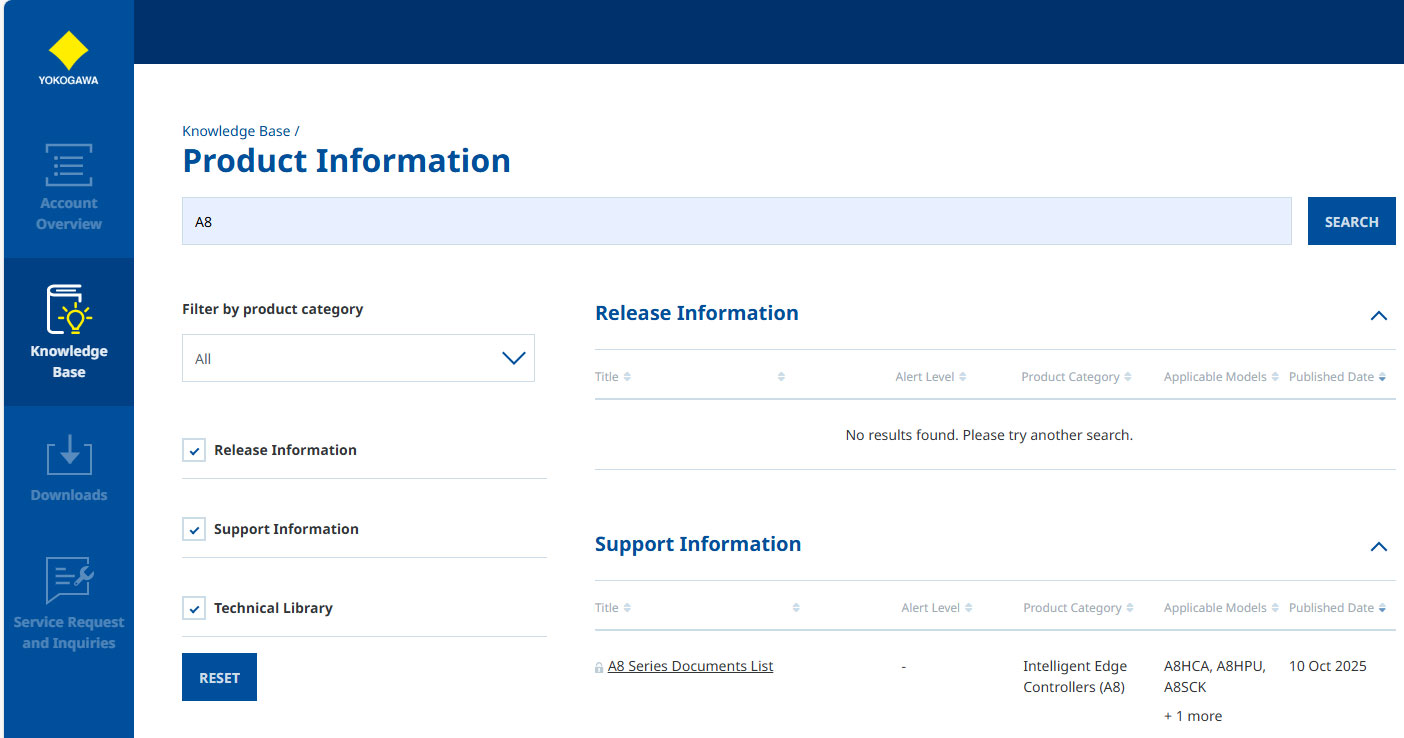
Links to some of the content are provided in "Downloads" at the bottom of this page.
CAD data can be downloaded from "Drawings".
Downloads
Brochures
Instruction Manuals
General Specifications
- A8 Overview (4.1 MB)
- A8 Standard Compliant Products (31 KB)
Technical Information
Drawings
- A8 A8HPU Power Supply Module 2D CAD (12.8 KB)
- A8 A8HPU Power Supply Module 3D CAD (258.5 KB)
- A8 A8HCA CPU Module 2D CAD (11.0 KB)
- A8 A8HCA CPU Module 3D CAD (454.3 KB)
- A8 T9132AA End plate 2D CAD (5.9 KB)
- A8 T9132AA End plate 3D CAD (33.2 KB)
Looking for more information on our people, technology and solutions?
Contact Us