Alarm Reporting and Analytics Software for Safer, More Reliable Plant Operations
Exaquantum/ARA helps industrial teams analyze alarm and event data, identify nuisance alarms, monitor alarm KPIs, and improve alarm system performance using reports aligned with ISA-18.2, IEC 62682, and EEMUA 191 practices.
When operators face too many alarms, critical events can be missed or delayed. Exaquantum/ARA gives supervisors, engineers, and plant managers the visibility needed to understand alarm behavior, reduce alarm floods, and make data-driven improvements to alarm management programs.

Details
Alarm Overload Makes It Harder to See What Matters
 Industrial operators must respond quickly when abnormal situations occur. But when alarm systems generate excessive alarms, nuisance alarms, or alarm floods, operators can become overloaded with information. This can slow response times, increase stress, and make it harder to prioritize alarms that require immediate action.
Key Pain Points:
- Too many alarms during abnormal situations
- Nuisance alarms that distract operators
- Alarm floods that obscure root causes
- Limited visibility into alarm system performance
- Difficulty identifying bad actor alarms
- Manual reporting that slows continuous improvement
What Are the Common Industrial Alarms and Reports that Need to Be Managed?
 |
 |
 |
 |
 |
|
Alarm |
Top |
Chattering |
Standing |
Silent & |
 |
 |
 |
 |
 |
|
Operator |
Area |
Alarm Flood |
Alarm Priority |
Custom |
Turn Alarm Data Into Actionable Alarm Management Insights
Exaquantum/ARA helps teams move from alarm data to alarm insight. By collecting alarm and event data and presenting it through dashboards, reports, filters, and KPIs, the software helps users identify alarm patterns, investigate problem areas, and support continuous improvement of alarm system performance.
 |
 |
 |
 |
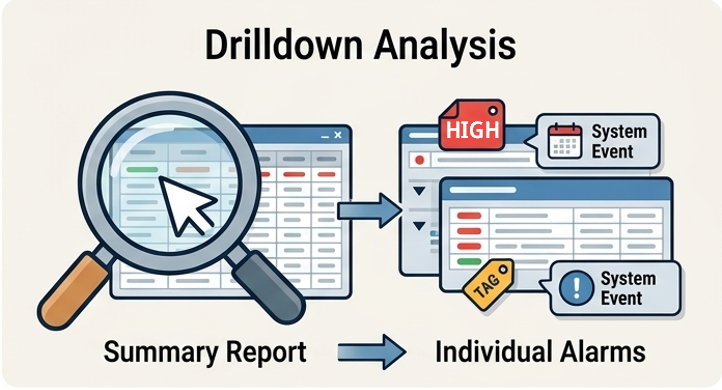
| Monitor alarm system performance using reporting aligned with recognized alarm management practices, including ISA-18.2, IEC 62682, and EEMUA 191. | Move from summary reports to individual alarms and events to investigate patterns, frequent alarms, and areas of concern. | Identify frequent, chattering, standing, suppressed, and other problem alarms that may contribute to operator overload. | Share alarm insights through scheduled reports and exports for faster reviews and decisions. |
Improve Alarm Performance, Operator Focus, and Operational Reliability
Effective alarm reporting helps industrial teams focus on the alarms that matter most. Exaquantum/ARA supports alarm management programs by helping teams evaluate alarm performance, identify opportunities for improvement, and provide stakeholders with timely information.
 |
 |
 |
 |
 |
| Reduce Distracting and Nuisance Alarms |
Improve Operator Response |
Support Plant Safety and Environmental Risk Reduction |
Identify Alarm Improvement Opportunities |
Enable Timely Decision-Making |
| Help operators focus on abnormal situations that require action. | Provide clearer visibility into alarm behavior so teams can respond more effectively. | Use alarm performance insights to support safer and more reliable operations. | Use focused KPIs to identify where alarm policies, configuration, or review need attention. | Give stakeholders access to alarm information through on-demand and scheduled reports. |
| Service Description | Yokogawa Deliverables |
|---|---|
| Alarm & Event Analysis |
|
| Custom Alarm Reports |
|
| Alarm Philosophy |
|
| Fundamental Nuisance Alarm Reduction |
|
| Alarm System Design (Consultation & Training) |
|
| Alarm System Design (Software & Training) |
|
| State-Based Alarm Management (Consultation & Training) |
|
| State-Based Alarm Management (Software & Training) |
|
| Alarm Monitoring & Improvement (Consultation) |
|
| Alarm Monitoring & Improvement (Software & Training) |
|
Alarm Reporting FAQ
What is alarm reporting and analytics software?
Alarm reporting and analytics software collects alarm and event data from industrial control systems and turns it into reports, KPIs, and dashboards. These insights help teams identify alarm floods, nuisance alarms, frequent alarms, and areas where alarm system performance can be improved.
What does Exaquantum/ARA do?
Exaquantum/ARA is Yokogawa’s alarm reporting and analysis solution. It helps supervisors and managers implement effective alarm management by highlighting patterns in alarm and event occurrences, providing KPI reports, and supporting drilldown analysis into alarm behavior.
Which alarm management standards does Exaquantum/ARA support?
Exaquantum/ARA includes reports based on recognized alarm management practices including EEMUA 191, ANSI/ISA-18.2-2009, and IEC 62682.
Can Exaquantum/ARA help reduce nuisance alarms?
Exaquantum/ARA helps teams identify nuisance alarms and other problematic alarm behavior through reports, filters, and KPI views. Yokogawa also offers nuisance alarm reduction services that include identifying nuisance alarms, root causes, countermeasures, and before-and-after improvement reporting.
Can reports be exported or scheduled?
Yes. Exaquantum/ARA reports can be scheduled and distributed, and reports can be exported to PDF, Excel, and Word for analysis, publication, documentation, and review.
Can Exaquantum/ARA connect to non-Yokogawa systems?
Yes. Interfaces are available for non-Yokogawa systems using OPC A&E 1.1, allowing Exaquantum/ARA to support alarm reporting and analytics across mixed control-system environments.
Resources
Alarm management is not just a project that has a start and end date; it's a continuous cycle. Once the alarm system has been reviewed and improvements have been identified, we must check that controls are in place to ensure the alarm system remains functional. The key is to ensure that the system is continuously monitored and any changes are fully documented. There are seven key steps for alarm management. Rationalization is one of those critical steps.
Downloads
Brochures
Videos
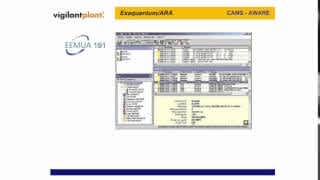
Exaquantum/ARA is a comprehensive set of statistical reports and KPIs based upon ISA 18.2-2009 & EEMUA 191. Alarm and Events can be aggregated by hour, day, shift, week, month, quarter and year providing alarm rates, counts, peaks, floods, etc. Exaquantum/ARA can be used to reduce the number of unwanted and distracting alarms allowing operators to react faster to abnormal situations with the proper corrective action, resulting in a safer and more productive plant, reduced environmental risk, enhanced maintenance response; Reduction in the amount of equipment damage. This package is part of our Alarm Management suite that utilizes software tools, alarm rationalization processes, and alarm philosophy generation as part of the solution aimed at reducing operator stress, operator overload prevention, and providing KPI information to key stakeholders on demand and by emails facilitating efficient and timely decision making.
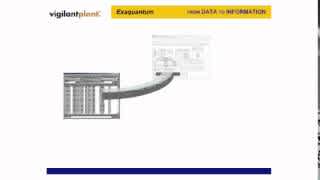
Exaquantum is a comprehensive Plant Information Management System (PIMS) incorporating a data historian for real time and historical data, alarms, and events along with aggregations, role-based views and KPIs, graphical HMI, trends, reports, and integration with different systems. It provides a cetralized repository for users throughout the plant and is the foundation for most of Yokogawa's production, safety, and alarm optimization solutions and operator effectiveness solutions. Exaquantum can acquire data from all facets of a process and transform that data into easily usable, high-value actionable information that can be made avaialable across the enterprise.

Alarm management is critical to ensuring the smooth running of operations and safer, more reliable plants. However, if alarms are poorly managed, they can compromise plant safety and negatively impact performance and profitability for organizations in the process industry.
Organizations rely upon the proper handling of process alarms to help ensure the smooth running of their operations and to meet industry standards.
Yokogawa provides Exaquantum alarm management solutions to help overcome these challenges. With a comprehensive alarm management solution to store and track alarm data, perform root cause analysis of events, and a master database providing a comprehensive mechanism for management of change. Users can review and assess the alarm system's performance to make necessary changes or rationalize it throughout its lifecycle.
For more information, visit: https://www.yokogawa.com/solutions/products-and-services/information/production-management/alarm-management/
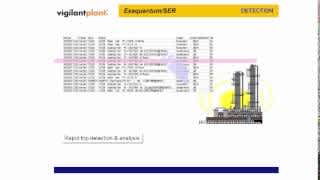
Exaquantum/SER is a unified sequence of events recorder solution that provides a plantwide integrated view of alarms, events and associated process data. It identfies, collects, and processes alarms, events and process data related to plant trips from systems throughout the plant (DCS, historians, PIMS, PLCs, process automataion controllers, SCADA systems, safety systems, etc.) and stores the created information in an open and portable database. It can be used to provide trip detection based upon specific plant conditions and provide a full log of all relevant process information in the crucial period before and after a plant event. Exaquantum/SER's plantwide integrated view can be used for peformance analysis and in aiding investigation teams in performing root cause analysis and problem identification. This solution assists in the elimination or reduction in the number of unexpected incidents and trips while increasing availability and production.
Looking for more information on our people, technology and solutions?
Contact Us